
멀티플레이에서의 액터 소유
싱글플레이에서는 GameState, PlayerState, PlayerController, Pawn 등이 오로지 한 클라이언트에 하나밖에 없기 때문에 다른 액터와의 동작을 고려할 필요가 없다.
그러나 멀티플레이에서는 각 액터와 클래스들 간 관련성, 소유권, 복제 설정 방식 등에 큰 차이가 있다.
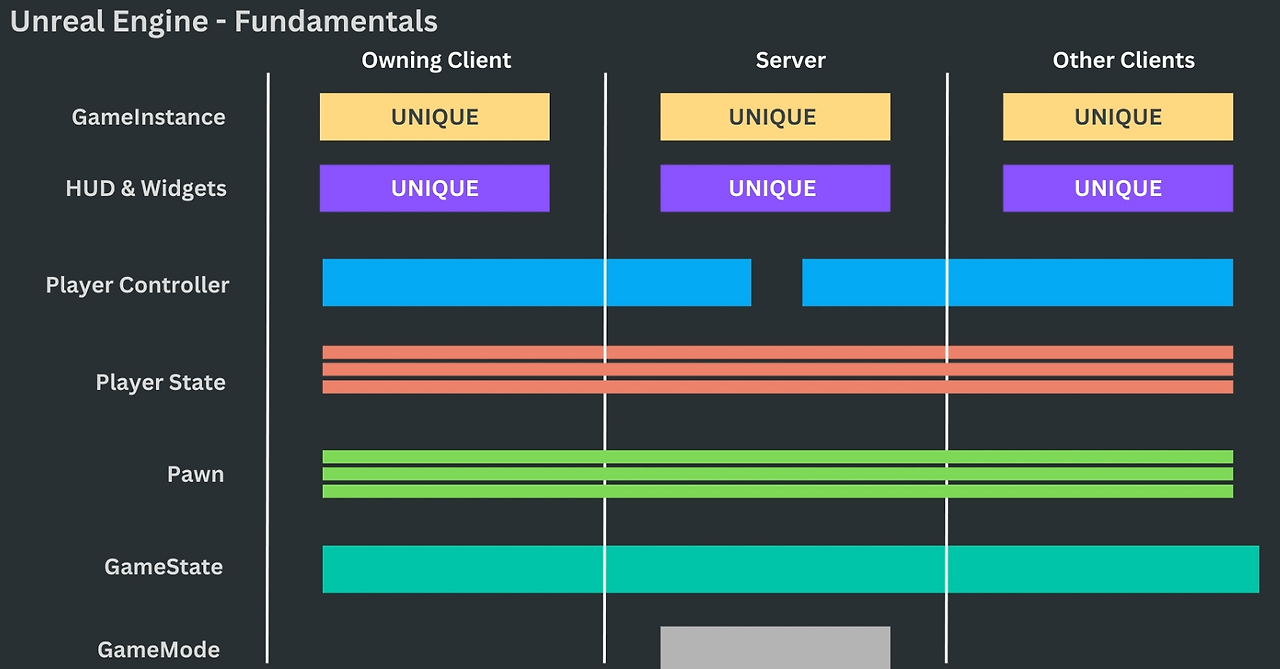
따라서 이러한 부분을 이해하지 않은 상태로 멀티플레이를 개발할 경우, 여러가지 난관에 부딪히게 된다.
누가 액터를 호출할까?
싱글플레이에서 흔히 사용하는 Getter 함수가 있다.
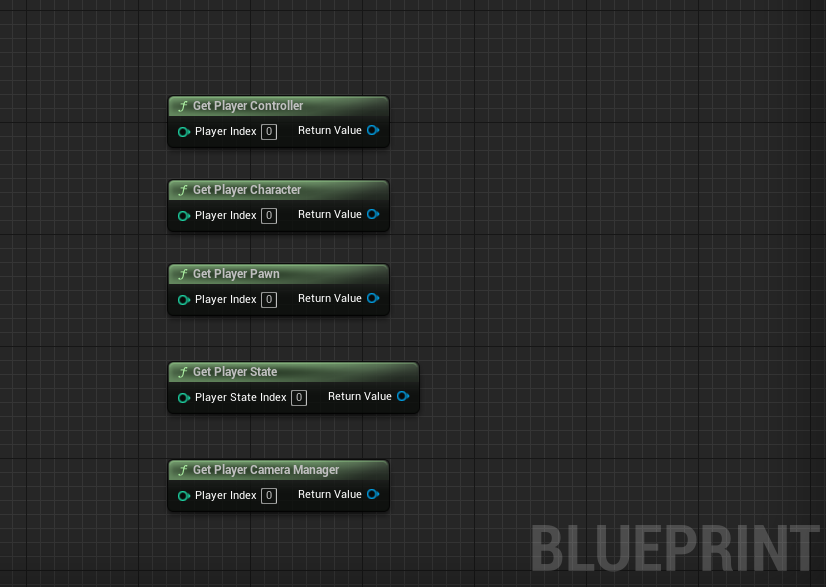
// C++
UGameplayStatics::GetPlayerController(const UObject* WorldContextObject, int32 PlayerIndex)
UGameplayStatics::GetPlayerCharacter(const UObject* WorldContextObject, int32 PlayerIndex)
UGameplayStatics::GetPlayerPawn(const UObject* WorldContextObject, int32 PlayerIndex)
UGameplayStatics::GetPlayerState(const UObject* WorldContextObject, int32 PlayerStateIndex)
UGameplayStatics::GetPlayerCameraManager(const UObject* WorldContextObject, int32 PlayerIndex)
싱글플레이에서 사용한다면 크게 문제가 되지 않지만 네트워크 환경에서 이러한 함수를 사용하면 상황에 따라 다른 결과가 나온다.
만약 멀티플레이에서 PlayerIndex가 0인 Get Player Contoller 함수를 호출한다고 가정하면 다음과 같은 결과가 발생한다.
- Listen Server에서 호출할 때 : Listen Server의 Player Controller
- Dedicated Server에서 호출할 때 : 첫 번째 Client의 Player Controller
- 클라이언트에서 호출할 때 : 클라이언트의 Player Controller
따라서 이러한 개념을 숙지하지 않고 멀티플레이에서 사용할 경우, 기능하고자 하는 동작이 제대로 수행되지 않을 수 있다.
이러한 혼란과 버그를 방지하기 위해 액터의 소유권에 대한 개념을 숙지해야 한다.
액터의 소유권
언리얼 엔진에서는 멀티플레이에서의 액터 관리를 위해 액터의 소유권과 관련된 다양한 Getter함수가 따로 존재한다.
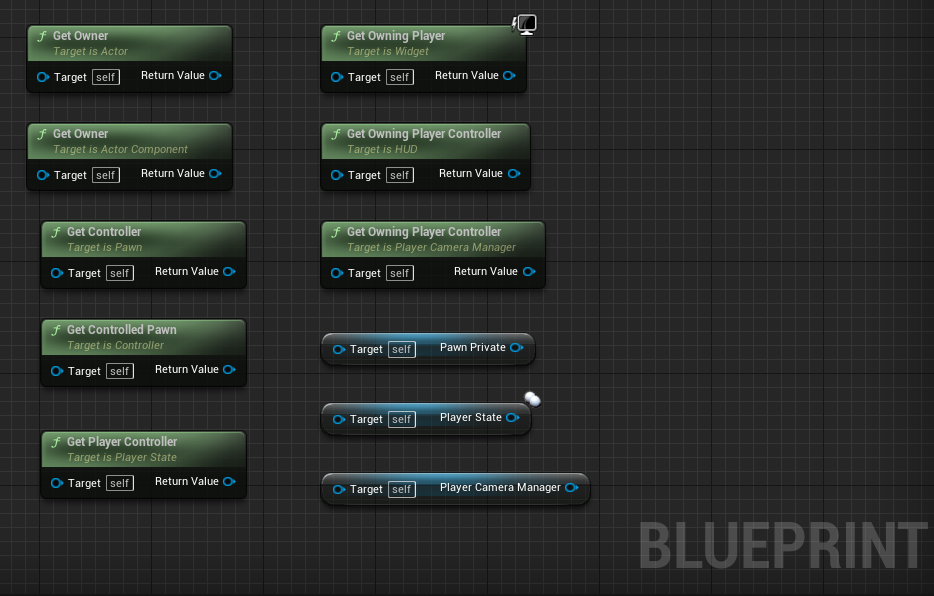
//C++
AActor::GetOwner()

UActorComponent::GetOwner()

APawn::GetController()

AController::GetPawn()

APlayerState::GetPlayerController()

UUserWidget::GetOwningPlayer()

AHUD::GetOwningPlayerController()

APlayerCameraManager::GetOwningPlayerController()

APlayerState::GetPawn()

AController::GetPlayerState()

...
액터/함수의 실행 권한(Role)과 연관성
멀티플레이에서는 "어떤 머신(서버 혹은 클라이언트)이 이 액터를 소유하고 있는가?"를 명확히 이해하는 것도 매우 중요하지만, 액터의 권한(Role)과 연관성 역시 RPC 호출, 레플리케이션, 입력 처리 등에 직접적인 영향을 미친다.
서버의 권한 확인
if (HasAuthority())
{
    // 서버에서만 실행됨
}
이 경우, 실행은 다음과 같이 일어난다.
- Dedicated Server: 항상 true
- Listen Server: 해당 액터가 서버에서 생성된 경우 true
- Client: false
클라이언트의 권한 확인
if (IsLocallyControlled())
{
    // 나 자신이 조종 중인 Pawn/Controller
}- Dedicated Server에서는 무조건 false
- Listen Server에서는 자신의 컨트롤러/폰일 경우 true
- 클라이언트가 소유한 Pawn이라면 true
액터의 권한 설정
일반적으로 NetRole/NetMode를 활용하여 더 폭넓게 권한을 설정가능하다.
NetRole
// EngineBaseTypes.h
/** The network role of an actor on a local/remote network context */
UENUM()
enum ENetRole
{
    /** No role at all. */
    ROLE_None,
    /** Locally simulated proxy of this actor. */
    ROLE_SimulatedProxy,
    /** Locally autonomous proxy of this actor. */
    ROLE_AutonomousProxy,
    /** Authoritative control over the actor. */
    ROLE_Authority,
    ROLE_MAX,
};
NetMode
// EngineBaseTypes.h
/**
 * The network mode the game is currently running.
 * @see https://docs.unrealengine.com/latest/INT/Gameplay/Networking/Overview/
 */
enum ENetMode
{
    /** Standalone: a game without networking, with one or more local players. Still considered a server because it has all server functionality. */
    NM_Standalone,

    /** Dedicated server: server with no local players. */
    NM_DedicatedServer,

    /** Listen server: a server that also has a local player who is hosting the game, available to other players on the network. */
    NM_ListenServer,

    /**
     * Network client: client connected to a remote server.
     * Note that every mode less than this value is a kind of server, so checking NetMode < NM_Client is always some variety of server.
     */
    NM_Client,

    NM_MAX,
};
NetMode vs NetRole — 언제 무엇을 사용할까?
NetMode와 NetRole은 모두 액터가 어느 네트워크 환경에서 실행되고 있는지를 판단할 때 사용되며, 많은 경우 유사한 결과를 반환한다. 하지만 사용 시점에 따라 적절한 선택이 필요하다.
NetMode
- 사용 시점 : 액터의 초기 생명 주기에서 사용
- 설명 : NetMode는 AActor::PreInitializeComponents()보다 이전 시점에서 네트워크 환경을 확인할 수 있기 때문에, 초기화 과정에서 안정적으로 사용.
- 예 : GameMode, GameInstance 등에서 초기 분기 처리 시 유용
NetRole
- 사용 시점 : PreInitializeComponents() 이후
- 설명 : NetRole은 액터의 네트워크 역할이 완전히 설정된 이후에 올바른 값을 가지므로, 액터가 월드에 배치된 이후에는 보다 정확하고 빠른 판단이 가능.